
Job Post Guide for Employers and Job Seekers
Did you know that only 2% of online job postings are successful? Most employers don’t even know what mistakes they’re making; similarly, applicants don’t understand why they aren’t hearing back. If you’re in either boat, follow this guide of best practices for posting job listings on GetAssist and responding to them.
How to Write Job Postings That Actually Perform Well Online
Use clear, concise, inviting, and plain language to increase the likelihood that candidates engage with your listing. Furthermore, don’t be repetitive.
Stay aware of legal requirements when it comes to hiring, like equal opportunity laws. Don’t let your qualifications discriminate against any group.
Inform applicants of the job location, including any amenities or facilities that are available to employees, such as parking and public transportation.
Be clear about what candidates should submit with their applications and what they should demonstrate in their materials. First, assess which application materials are truly necessary and ask only for those. Consider asking the applicants to address specific topics.
Include an “additional materials” section for the details that you didn’t include in previous sections. Indicate if the role is a position of trust and, if applicable, articulate relevant immigrant eligibility.
Show the job posting to various people, such as team members, collaborators, someone who would share the role, and members of the search and screen committee, for feedback before posting.
How to Make the Job Look Attractive
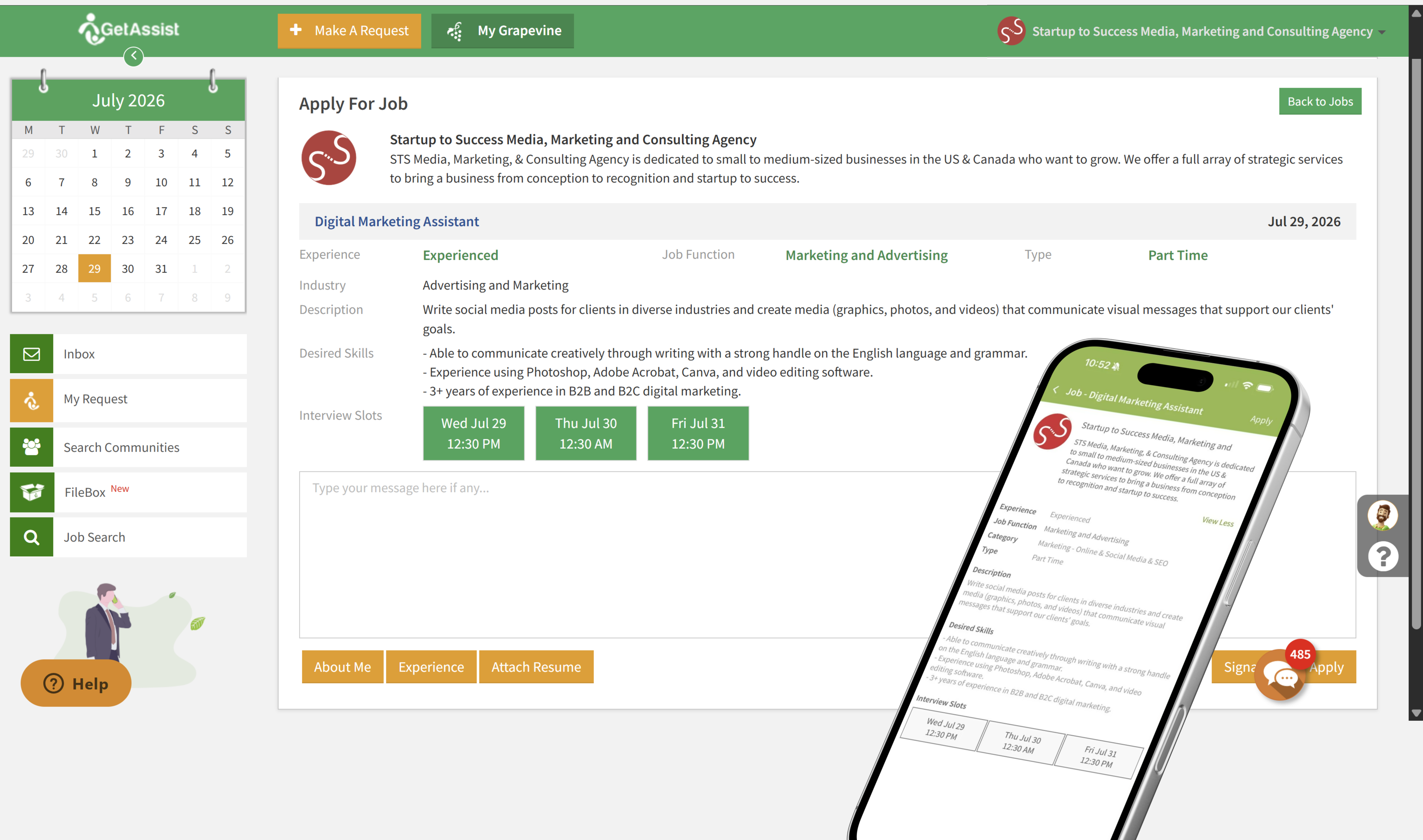
Remember who your audience is while you’re writing. What would engage employees in your industry or sector? Use inclusive language so that all candidates can imagine themselves in the role.
Outline the benefits of the job to show your commitment to your employees’ wellbeing. Here are some examples:
- paid time off
- retirement plans
- health insurance
- professional development opportunities
- remote work possibilities
Mention all policies and practices that support work-life balance, such as flexible hours, remote work options, and wellness programs.
Business Title Vs. Job Position
Instead of an individual job title, include a business title. Business titles have more details than job titles. Make sure to spell out any acronyms.
A business title:
- highlights the unique aspects of the position
- provides a level of clarity that attracts well-qualified candidates
- gives a clear understanding of the role’s expectations and responsibilities
- makes it easier for jobseekers to see how their skills and experience align with the role
How a Job Summary Should Look to Engage Candidates
A job summary should complement, not copy, the standard job description. Job summaries:
- Give a better understanding of day-to-day responsibilities and the key functions of the job
- highlight unique aspects of the role
- highlight how the role fits into the organization
Here is an excellent, professional example of a job summary from the University of Wisconsin-Madison:
“As a Custodian at UW-Madison, you will play a crucial role in maintaining a clean, safe, and welcoming environment for all employees, visitors, and stakeholders. Your work will directly contribute to the overall well-being and productivity of our team, ensuring that our facilities are always in top condition.
In this role, you will be responsible for a variety of tasks, including cleaning and sanitizing restrooms, offices, and common areas, managing waste disposal, and performing minor maintenance tasks. Your attention to detail and commitment to high standards will help create a positive and professional atmosphere.
Beyond the daily responsibilities, you will be an integral part of our team, supporting events and special projects, and contributing to a culture of respect and care. Your efforts will be highly valued as they enable our organization to function smoothly and efficiently, making a tangible impact on everyone’s experience within our facilities.
Join us in this essential role and help us maintain a space where everyone can thrive.”
How to Describe Job Qualifications
Clearly outline the qualifications and skills that you require. Balance the requirements with the benefits and opportunities that a candidate would receive as your employee. This is how you’ll attract qualified candidates who are excited about what you have to offer.
When determining whether you should require a degree, consider whether you value diverse backgrounds and experiences. Consider who you may exclude by requiring a degree, such as people with extensive experience but no formal education. Similarly, consider whom you may include, such as applicants who are fresh out of college and have no hands-on experience.
Can the essential core skills, knowledge, and abilities be acquired without a degree?
To be clear to applicants and help the screening team stay consistent and fair, be specific about the qualifications, including required education, certifications, experience, and skills. Instead of saying something vague, like “must be experienced,” clearly define the experience that you’re talking about.
To help candidates understand the minimum requirements and what may set them apart, clearly differentiate the required qualifications from those that would be nice to have. It helps to think about what kind of employee you would want on day one vs. the qualifications an employee can acquire on the job, such as certain skills and experience.
A long list of qualifications without clarity will discourage candidates from applying.
How to Discuss Salary in a Job Posting
Clearly state the salary range. Provide context for what determines the salary, like experience, education, and specific skills, so applicants can get an understanding of what their salary would be.
Candidates will be more comfortable talking about salary negotiations if you indicate whether negotiation is possible and consider adding a hiring bonus.
What Are Red Flags in Job Postings?
Avoid including these red flags in your job posting, so you don’t drive away candidates:
- Giving homework as part of the application process. Why would anyone want to work for you for free, especially if they don’t get the job?
- Saying “we wear several hats.” This usually means that one person will do a job for several people at once, so it may give a candidate that impression.
- Using the word average before the pay rate listing. “Average” indicates that the pay is commission-based, and the hourly rate will be much lower. Furthermore, it would be difficult for a candidate to tell how much they would actually be making.
- Asking an applicant to be a “rockstar.” Employers often use that word when they underpay and overwork their employees. Candidates may get that impression.
- Grammar and spelling mistakes. They reflect that you don’t care.
Tips for Responding to Job Posts Professionally
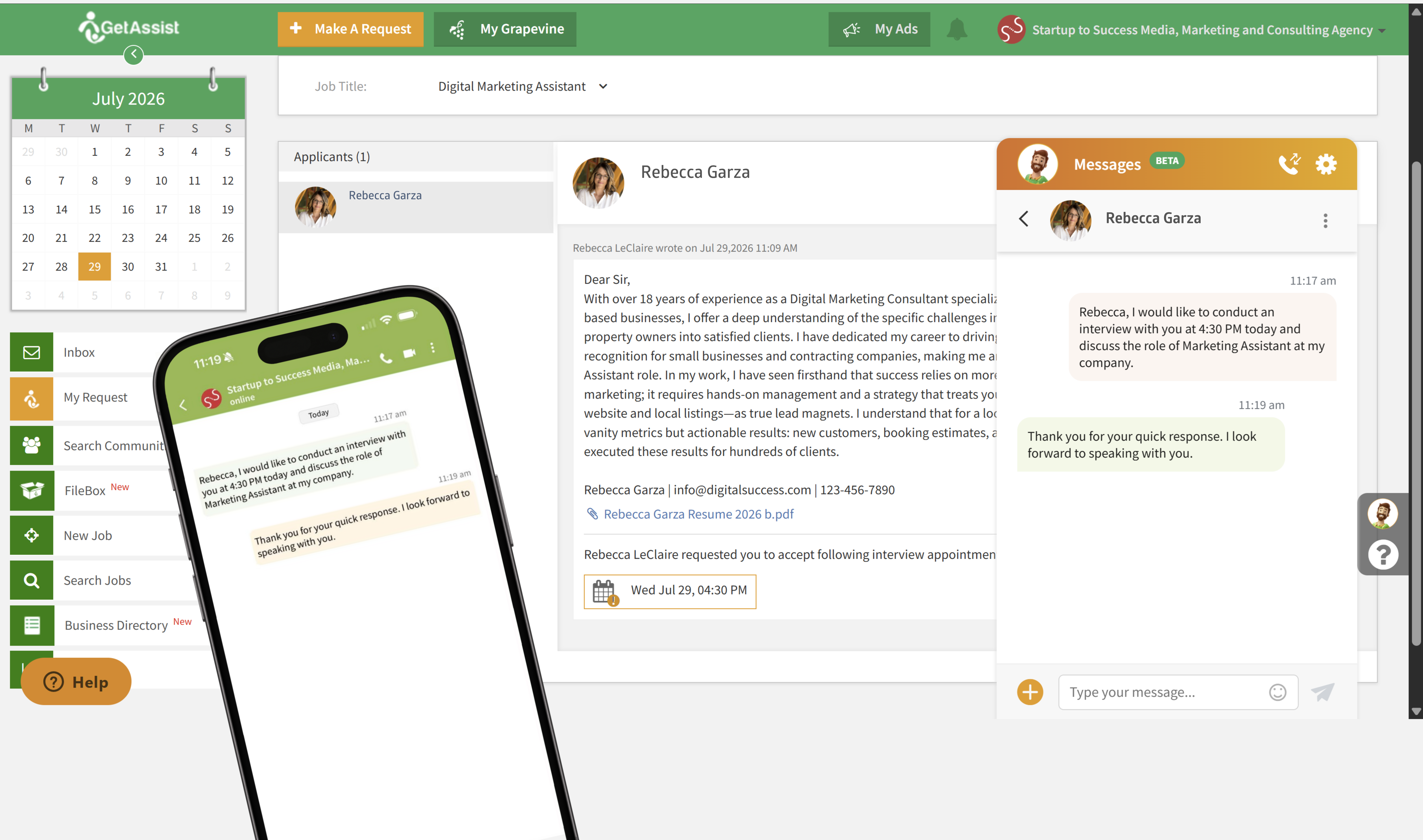
You may be eager to apply to a great job, but don’t overlook the details in the job posting, and follow the directions carefully. Read the job posting several times, so you don’t miss anything. If you don’t follow the instructions, you’ll likely disqualify yourself, as the ability to follow them may be a test.
Begin by displaying your work that is most relevant to the job you’re applying for. The recruiter may have limited time, so you need to show them what you’re capable of immediately, so they have a reason to keep reading.
Only include your best work in your portfolio. Think quality over quantity. Work that isn’t your best may dilute the good impression you’re making and end up hurting you!
Provide context for your work, such as:
- what the client’s goals were
- what restrictions you had
- what the timeframe was like
- if you finished the project ahead of schedule
Leaving your work up for interpretation could work against you. It’s essential to take credit for what you did. Otherwise, the recruiter could assume that you didn’t do all or most of the work.
If applicable, present a portfolio. It’s best to have it on your own website, but the next-best options are a PDF or a portfolio site.
How to Stand Out
Personalize your reply to stand out.
If there’s a first name in the hiring profile, address them by their name. If only a last name is listed, you can say “Dear Mr./Mrs./Ms.” If there isn’t a name at all, you can say “Dear sir/ma’am.”
Research the hiring manager for bonus points. Mention something you connect with, such as a shared interest.
Don’t copy and paste a cover letter or template. Chances are, they’ve already seen it from someone else. Hiring staff get the same application materials over and over.
What Words Impress Employers the Most?
Use action words to enhance your resume. Action words are effective verbs that tell hiring managers your professional story. Use a thesaurus to prevent repeating words.
For example, think “initiated” instead of “oversaw.” Then, pair your action words with adverbs. For instance, you could say “proactively organized” instead of “organized.”
Let’s go over action words that are effective in various situations:
For a creative role:
- Conceptualized
- customized
- designed
- generated
- launched
To show your critical thinking, analytic, and research skills:
- Analyzed
- assessed
- created
- developed
- discovered
If you have management experience:
- Administered
- coordinated
- directed
- executed
- hired
How to Send a Short and Sweet Follow-up Message After Applying
Acquire the hiring manager’s details, especially their name. Addressing your follow-up message to a specific person shows that you’ve done your research.
If you applied online, search the job posting for a point of contact, or on GetAssist, you can message directly from the job listing. You can also check the company’s website to see if the hiring manager is listed. Otherwise, you can call the company and ask for the hiring manager’s name and email address.
When writing the message/email, first create a crystal-clear subject line. Include your name and the title of the job that you’re applying for.
The email should be brief and concise. Recruiters and hiring managers are busy. If they don’t have time and see a long message, they may skip key details or decide not to read it at all.
Be polite and professional. The recipient may not have seen your application materials yet so that this email could give them their first impression of you. So, start with the recipient’s name or a kind salutation, and thank them for taking the time to consider you for the role.
Then, briefly remind them why you’d be excellent for the job. You can even include any of your new accomplishments. Let them know that you’re interested in an interview and how and when they can reach you.
Attach your original application materials to make it easier for the hiring manager to pull up your application. Tell them that you attached the materials. Lastly, be sure to proofread and edit your email.
The Benefits of Sending a Follow-Up Message or Email
Following up is an opportunity to reinforce your qualifications and to ask any questions you have about the position or the application process. Just make sure to ask only one to three questions so it isn’t too time-consuming for the recipient to reply and place the questions at the end of the email.
When Should I Follow Up?
If it’s been one or two weeks since you applied for the job, emailing is a professional way to follow up. If you’re following up after an interview, it’s appropriate to do so after three to five days.
If the hiring manager hasn’t responded to your follow-up email after a week or so, you may try to schedule a phone conversation. Start by introducing yourself and mentioning the position you applied for. Then ask for updates; if there are none, mention that you’re still interested in the role.
If you live in Canada or the U.S., you can take advantage of our job posting feature and follow the tips in this article to set up for success. When you’re seeking a job or qualified employees, GetAssist is here.
Good luck landing that job or building a strong team for your business!



Leave a Reply
Want to join the discussion?Feel free to contribute!